Introduction
Learn what PhantomWP is and how it transforms your WordPress site into a fast, secure Astro static site.
Introduction to PhantomWP
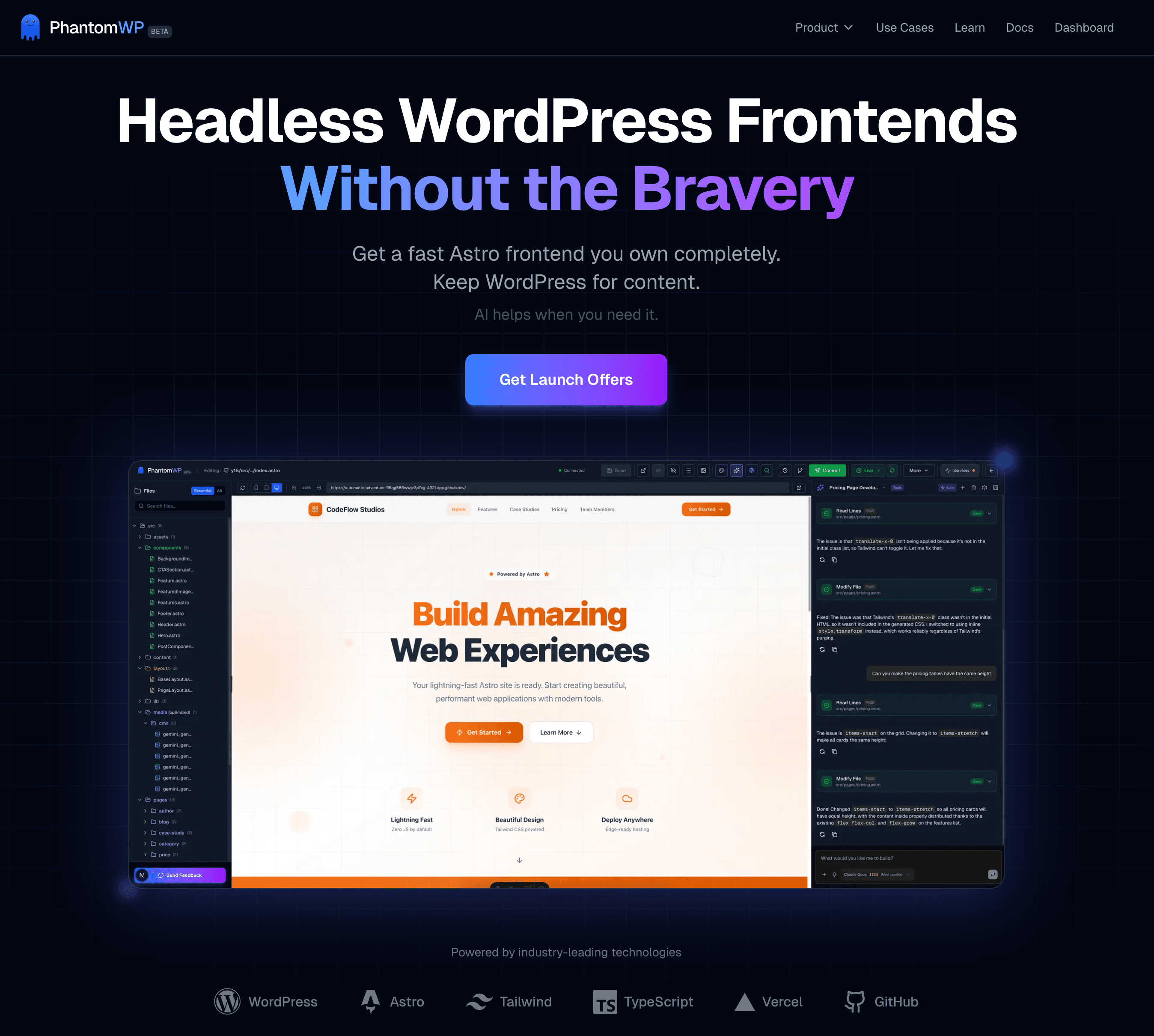
PhantomWP is a headless site builder that transforms your WordPress site into a lightning-fast Astro static site. Keep using WordPress for content management while serving a modern, secure frontend to your visitors.
The Problem with WordPress
WordPress powers over 40% of the web, but it comes with significant challenges:
| Challenge | Impact |
|---|---|
| Performance | PHP processing and database queries slow down every page load |
| Security | Constant plugin updates and vulnerability patches required |
| Hosting Costs | Requires PHP hosting, databases, and often caching services |
| Maintenance | Keeping WordPress core, themes, and plugins updated is time-consuming |
How PhantomWP Solves This
PhantomWP generates static HTML files from your WordPress content. These files:
- Load instantly - no server processing, just pure HTML
- Are inherently secure - no database or PHP to exploit
- Host for free - deploy to Vercel, Netlify, or any static host
- Require minimal maintenance - no plugins to update
What You Get
1. Flexible Development Environment
Every project runs in a development environment of your choice:
- GitHub Codespaces — a powerful cloud environment accessible from any browser, nothing to install
- Docker Local Development — run the exact same IDE against a container on your own machine, perfect for offline work
- Fly.io remote containers — your own always-on development machine in the cloud
All three modes share the same IDE, AI assistant, WordPress integration, and deployment flows.
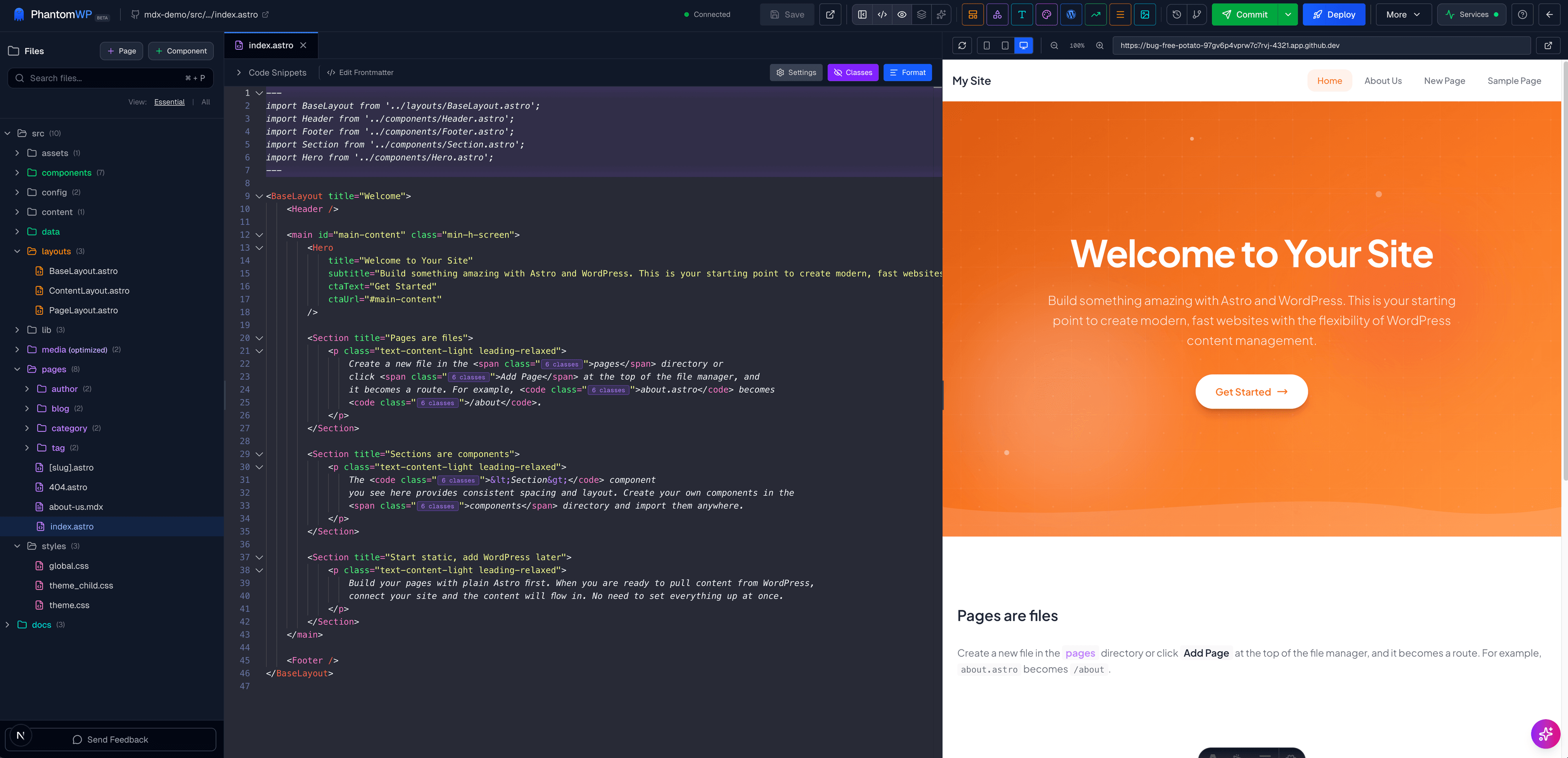
2. Web-Based IDE
A full development environment built for Astro:
- Monaco Editor with syntax highlighting and IntelliSense
- Live Preview that updates as you type
- Visual Editor for drag-and-drop editing
- AI Assistant to help you build faster
- Git integration for version control
3. WordPress Integration
Connect your existing WordPress site to:
- Browse content - view posts, pages, and media
- Import content - bring over your existing content
- Use as headless CMS - keep WordPress for editing, serve Astro to visitors
4. Pre-Built Components
Start faster with the Component Library - professionally designed sections ready to drop into your site:
- Hero sections
- Feature grids
- Testimonials
- Pricing tables
- Contact forms
- And more
5. One-Click Deployment
Deploy to Vercel with automatic builds on every push. Your site goes live in minutes with:
- Global CDN distribution
- Automatic HTTPS
- Preview deployments for every branch
Learn more in Deploying to Vercel.
The Workflow
WordPress (Content) --> PhantomWP (Build) --> Astro Site (Deploy)
- Write content in WordPress - use the familiar editor you already know
- Design in PhantomWP - use the IDE to customize your site's look
- Deploy to the edge - serve static HTML globally
Who Is PhantomWP For?
PhantomWP is built for:
- WordPress site owners who want better performance without learning to code
- Content creators who want to keep using WordPress for writing
- Agencies managing multiple WordPress sites
- Developers who want a modern stack without migration headaches
- Anyone tired of WordPress security updates and slow load times
What You'll Learn
This documentation covers:
| Section | What You'll Learn |
|---|---|
| Quick Start | Create your first project in 5 minutes |
| Using the IDE | Master all IDE features |
| WordPress Integration | Connect and import from WordPress |
| Local Development | Run your project on your own machine with Docker |
| Deployment | Go live with your site |
| Advanced | Security, troubleshooting, and more |
Ready to Start?
Head to the Quick Start Guide to create your first project in under 5 minutes.